The Controller's AI Assessment Presentation Template
An 8-slide editable PowerPoint framework for presenting an AI governance and risk assessment to your CFO or CAO. Neutral design — your analysis, your voice, no vendor logos.
Use this template as a starting point rather than presenting it as-is. Read through all eight slides below to confirm the framework fits your fact pattern. Then download the PowerPoint, spend thirty minutes filling in your department's specifics, and present a current-state AI assessment in your own voice.
Step 1 · Review
Scroll through all 8 slides
Confirm the framework is substantive and covers the questions your CFO will ask. No download required to review.
Step 2 · Customize
Download and fill in your specifics
Department name, your findings from the inventory exercise, your specific risk exposures, your materiality thresholds, your vendor evaluation pipeline.
Step 3 · Present
Thirty-minute conversation with the CFO
The framework is designed to end with three questions you pose to the CFO — the answers reveal whether the organization is positioned to govern AI or is about to find out it is not.
Preview · Review all 8 slides
The framework at a glance
Each slide below is the exact content of the downloadable PowerPoint — same layout, same type, same editable design. Placeholders marked [ like this ] are where you fill in your department's specifics.
Slide 1
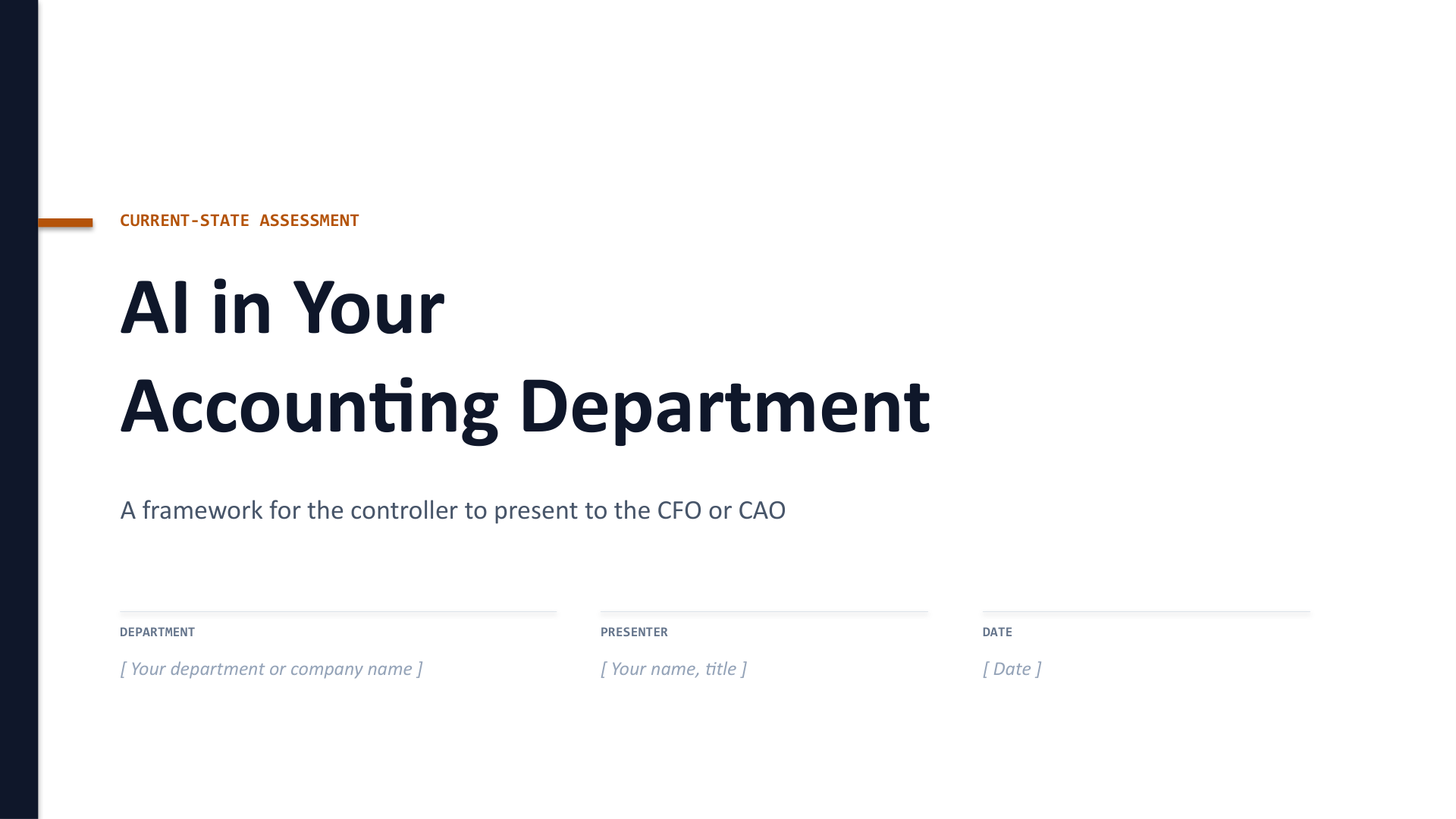
Framing — "AI is already in our department. Here is our assessment."
Open with a considered current-state assessment from the person who owns the ICFR consequences. Keep the tone factual and specific to your department.
Slide 2
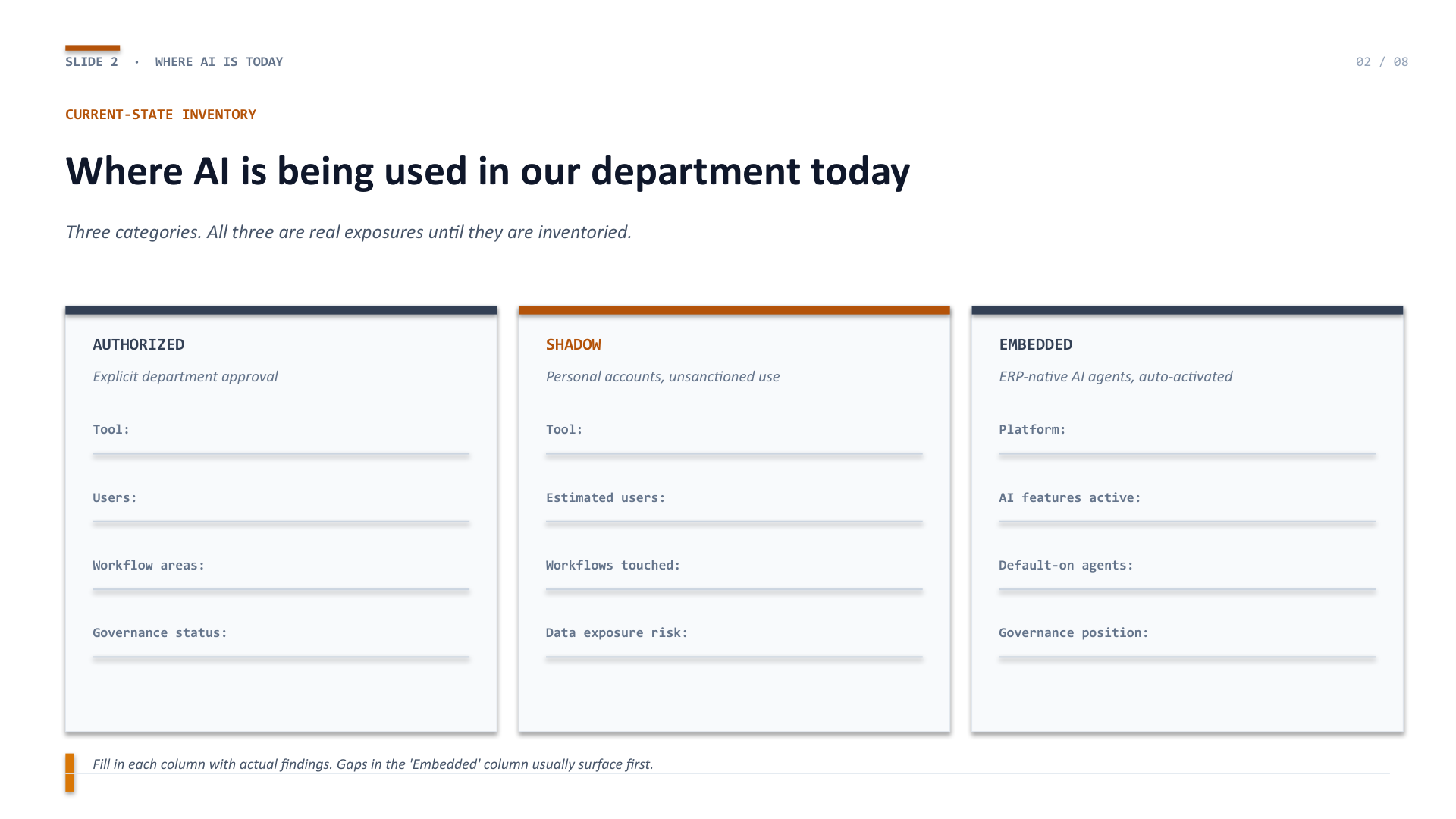
Where AI is being used in our department today
The three-column inventory: Authorized (explicit approval), Shadow (personal accounts, unsanctioned), and Embedded (ERP-native AI agents auto-activated). Most departments have exposure in all three columns without having inventoried any of them.
Slide 3
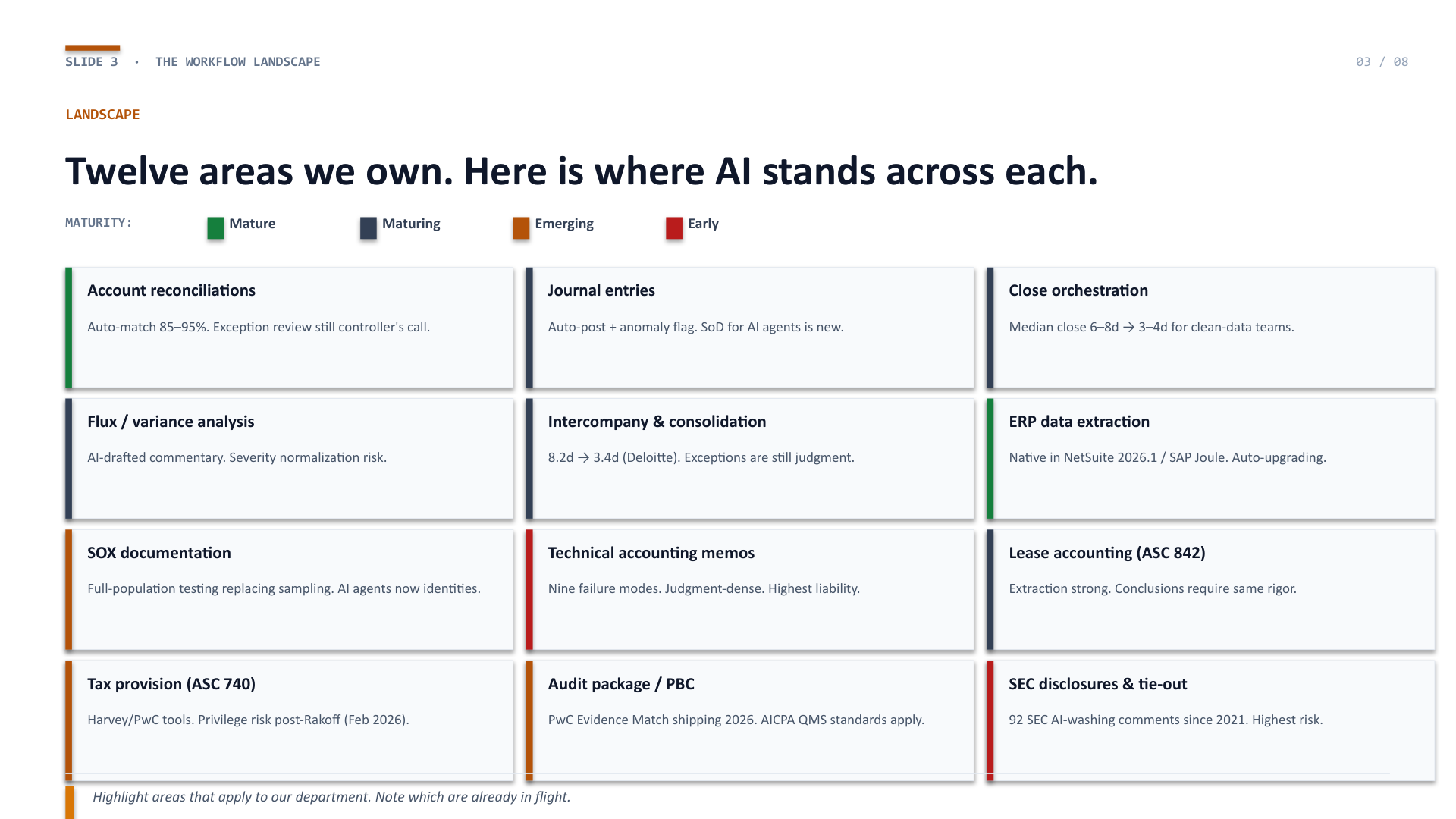
Twelve areas we own. Here is where AI stands across each.
The 12-area workflow landscape from the Hub article, compact, color-coded by maturity grade. Highlight the rows that apply to your department and note which are already in flight. The combination of mature areas and emerging areas is where the governance conversation gets specific.
Slide 4
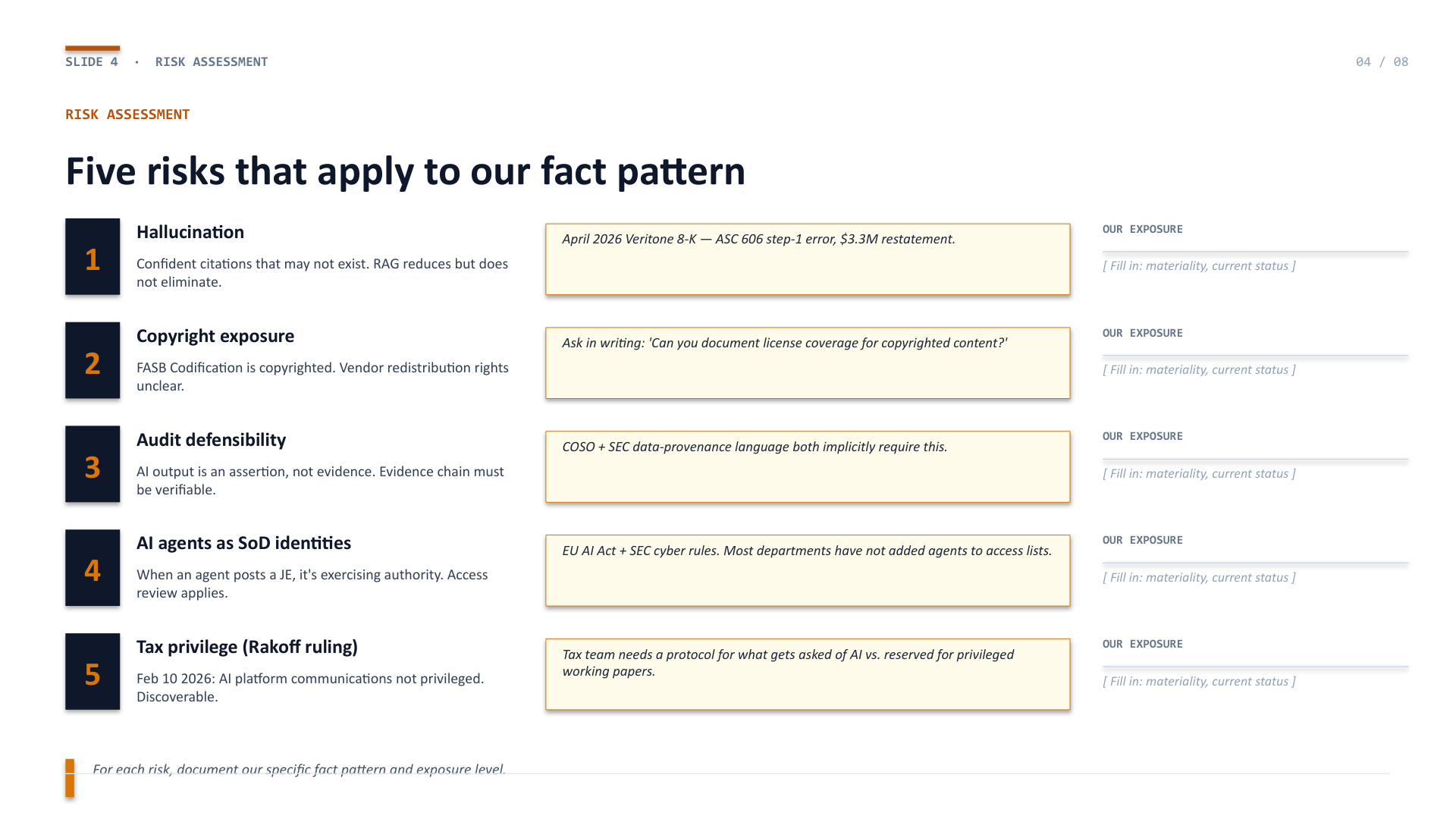
Five risks that apply to our fact pattern
Hallucination, copyright exposure, audit defensibility, AI agents as SoD identities, and the tax privilege wrinkle from the February 2026 Rakoff ruling. Each row includes a specific 2026 evidence point. The rightmost column is where you note your department's exposure and materiality threshold.
Slide 5
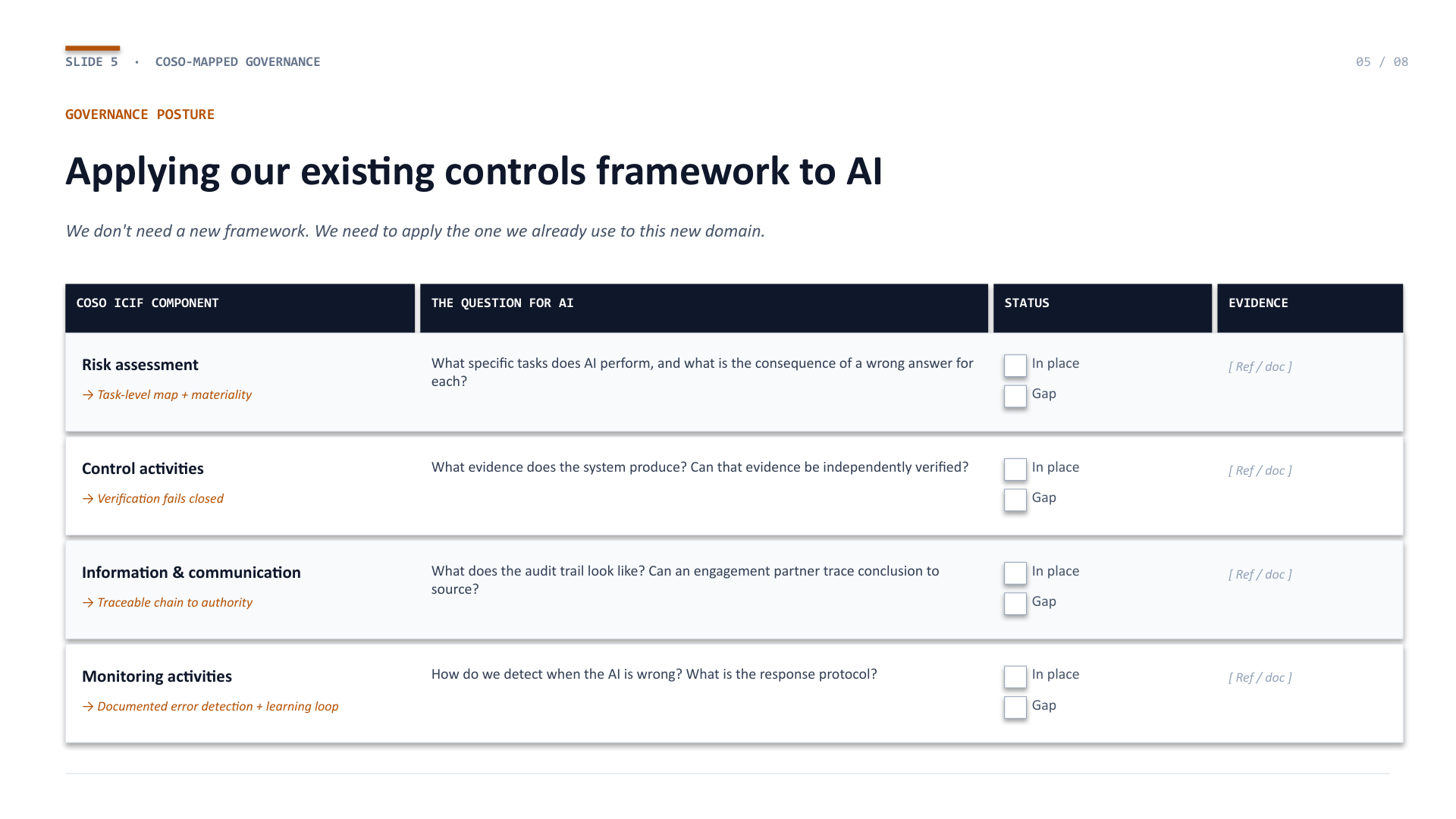
Applying our existing COSO framework to AI
The four COSO ICIF components mapped to the AI-specific question. "In place" / "Gap" checkboxes with an evidence reference column. This is the slide that tells the audit committee you are governing AI the way you govern every other control — not reinventing the framework.
Slide 6
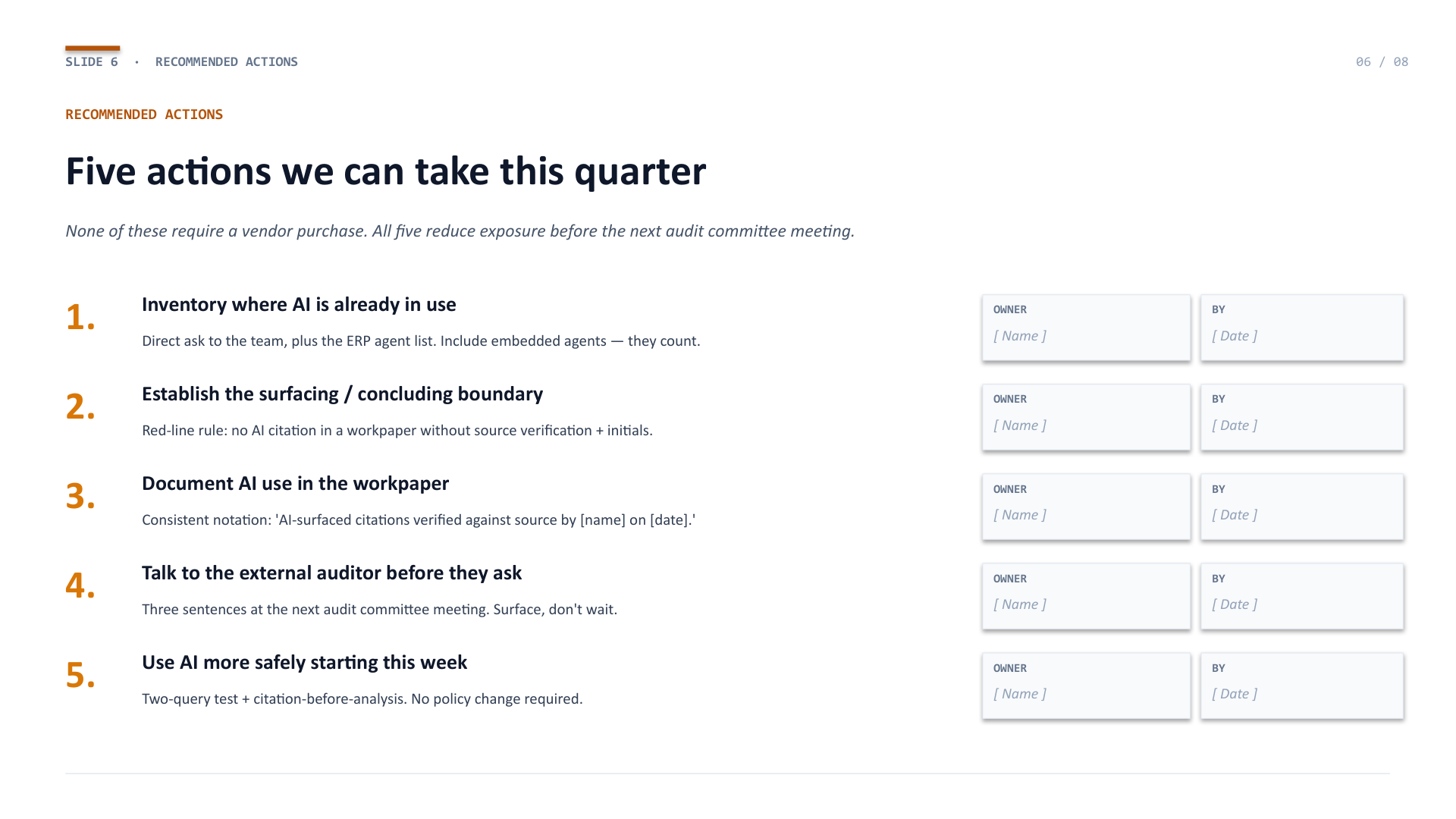
Five actions we can take this quarter
The five quarterly actions from the Hub. None require a vendor purchase. All five reduce exposure before the next audit committee meeting. Owner and target-date fields for each.
Slide 7
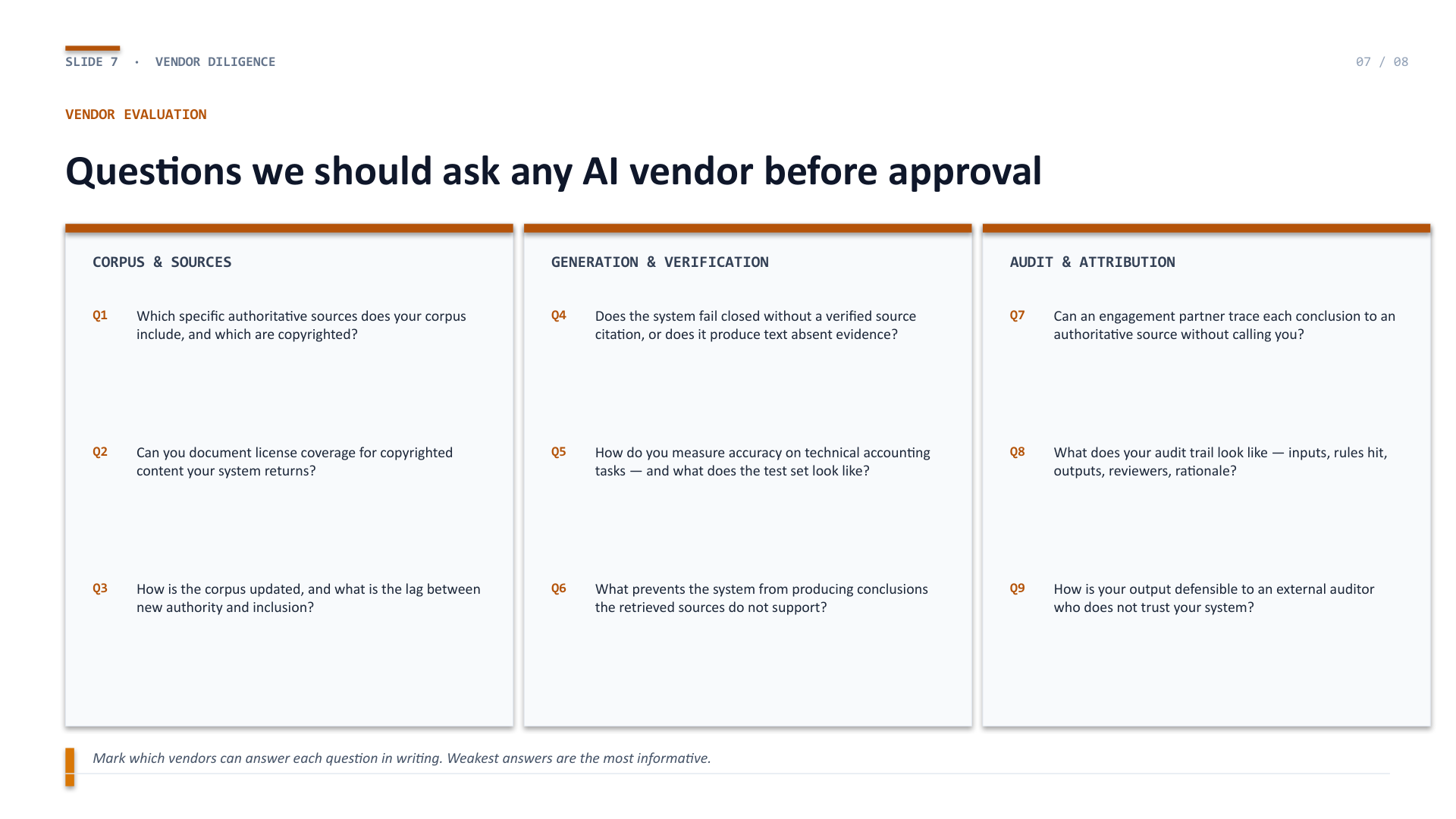
Questions we should ask any AI vendor before approval
The nine vendor diligence questions, organized into three domains: corpus and sources, generation and verification, audit and attribution. A weak answer is as informative as a strong one — the diligence is in the follow-up.
Slide 8
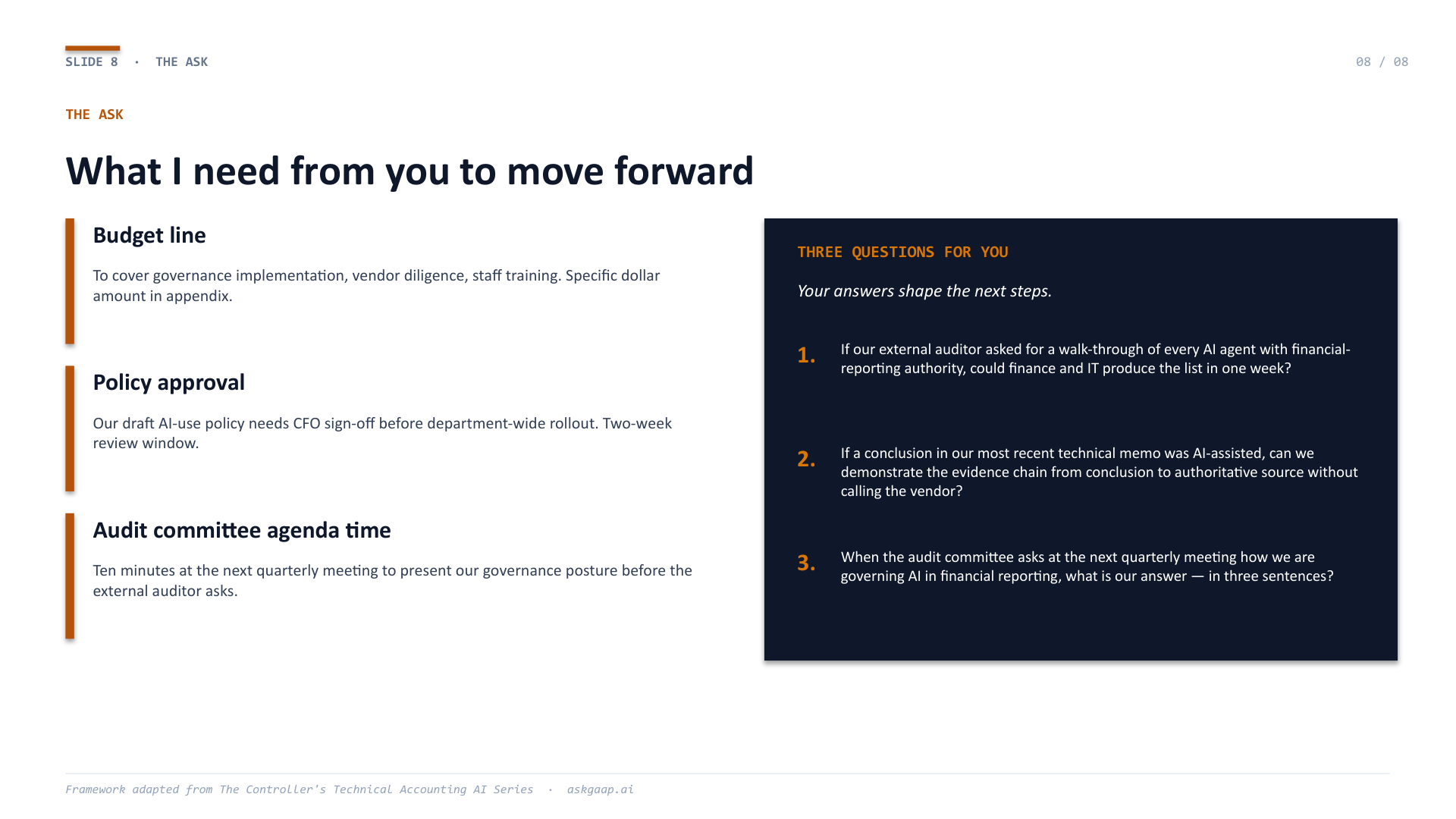
What I need from you to move forward — and three questions for you
The ask (budget line, policy approval, audit committee agenda time) paired with the three questions you leave the CFO to think about. The questions are the most useful part of the presentation. The CFO does not need to answer them today — but they should be the ones asking them before someone else does.
Download the editable PowerPoint
Customize the template with your department's specifics in under thirty minutes, even against a Monday-morning deadline. The PowerPoint downloads directly without registration or follow-up email.
Ungated · No registration · Editable in PowerPoint · Keynote · Google Slides
Companion to: A Controller's Guide to AI in Technical AccountingThe framework in this template is the practical application of the Hub article. If you arrived here first, the article provides the context and evidence behind every slide.